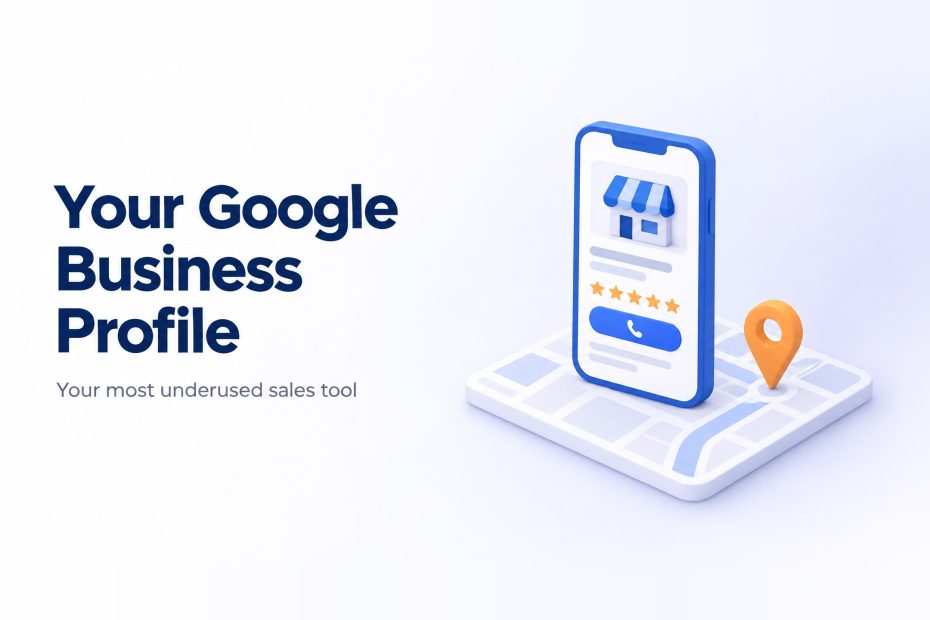
Ask most business owners where their leads come from and you’ll hear about referrals, the website, maybe some ads. Very few mention their Google Business Profile as a sales tool. Yet for many local and service businesses, it’s the first thing a potential customer sees, often before they ever reach the website.
When someone searches for a service “near me” or for your business by name, your profile shows up with your reviews, photos, hours, phone number and a button to get directions. They can decide to call you without clicking anything else.
That makes your profile less like a directory listing and more like a salesperson standing at the front door. The question is whether that salesperson is ready to help, or half asleep with the lights off.
Why most profiles underperform
The typical story goes like this. Someone set up the profile years ago, filled in the basics and moved on. Since then:
- The hours haven’t been updated for holidays
- The photos are old, blurry or missing
- The business description is two generic sentences
- Reviews come in, but nobody replies
- The last post was published a long time ago, if ever
- Services and products aren’t listed at all
None of these look like big problems on their own. Together, they tell both Google and potential customers that this business isn’t paying much attention.
How Google decides who shows up
Google has been fairly open about how local results work. Its own guidance points to three main factors:
- Relevance: how well your profile matches what someone searched for
- Distance: how close you are to the searcher or the location they mentioned
- Prominence: how well known and trusted your business appears, based on things like reviews and your wider online presence
You can’t move your office closer to every customer. But you have a lot of control over relevance and prominence, and that’s where Google Business Profile optimization pays off.
Step 1: Fix the foundations
Start with accuracy, because everything else builds on it.
- Business name: use your real business name. Stuffing keywords into it can get your profile suspended.
- Primary category: this is one of the most important choices you make. Pick the category that best describes your main service, then add relevant secondary categories.
- Address and service area: make sure they match your website and other listings exactly.
- Hours: keep them accurate, including holiday hours. Nothing loses a customer faster than showing up to a locked door.
- Phone and website: check both work and point to the right place.
Step 2: Tell people why they should choose you
Your business description is free real estate that many businesses waste. Use it to explain, in plain language, what you do, who you help and what makes you different. Mention your main services naturally, the way a customer would describe them.
Then fill in the services or products sections. Each one gives Google more context about what you offer, and gives customers a quick menu to scan.
Step 3: Show, don’t just tell
Photos do a lot of quiet selling. People want to see your team, your work, your location and what it’s actually like to deal with you.
Good photos to add:
- Your storefront or office entrance, so people recognise it when they arrive
- Your team at work
- Finished projects or products
- The inside of your space, if customers visit
Add new photos regularly. A profile that clearly gets attention feels more trustworthy than one frozen in time.
Step 4: Make reviews part of your routine
Reviews are where your profile turns from information into persuasion. They influence whether people choose you, and they’re part of how Google judges prominence.
Two habits make a big difference:
- Ask consistently. The easiest time to ask is right after a good experience. A short message with a direct review link removes most of the friction.
- Reply to every review. Thank people for positive ones. Respond calmly and helpfully to negative ones. Future customers read your replies as closely as the reviews themselves.
We dig into this in more detail in Google Business Profile Reviews: The Local Ranking Factor Most Businesses Are Ignoring.
Step 5: Use posts to start conversations
Google Business Profile lets you publish short posts with offers, updates, events and helpful tips. Many businesses never touch this feature, which is exactly why it’s worth using.
Posts give searchers a reason to engage, show that your business is active, and let you highlight what you want people to notice this month.
Answer common questions too. Use your description, posts and service listings to cover the things customers ask you most often, like pricing approach, turnaround times or areas you serve. It saves time on the phone and removes doubts before they become objections.
Step 6: Track what your profile is actually doing
Your profile includes performance data on how people find you and what they do next, such as calls, direction requests and website clicks. Check it monthly.
If calls go up after you add photos and start posting, you’ve found something worth continuing. If views are high but actions are low, your profile may be getting seen without convincing people to act. That’s usually a sign to improve reviews, photos or your description.
A simple monthly routine
You don’t need hours a week to keep your profile working. A short routine is enough:
- ☐ Publish two or three posts
- ☐ Add a few new photos
- ☐ Reply to every new review
- ☐ Check hours, especially around holidays
- ☐ Review performance data and note any changes
Turn your Google Business Profile into a sales tool
Your Google Business Profile is already working for you or against you, whether you manage it or not. With a bit of consistent attention, it can become one of your most reliable sources of calls and enquiries.
Digital Friks sets up, optimises and manages Google Business Profiles so local businesses show up, stand out and get chosen. If yours hasn’t had attention in a while, let’s take a look together.