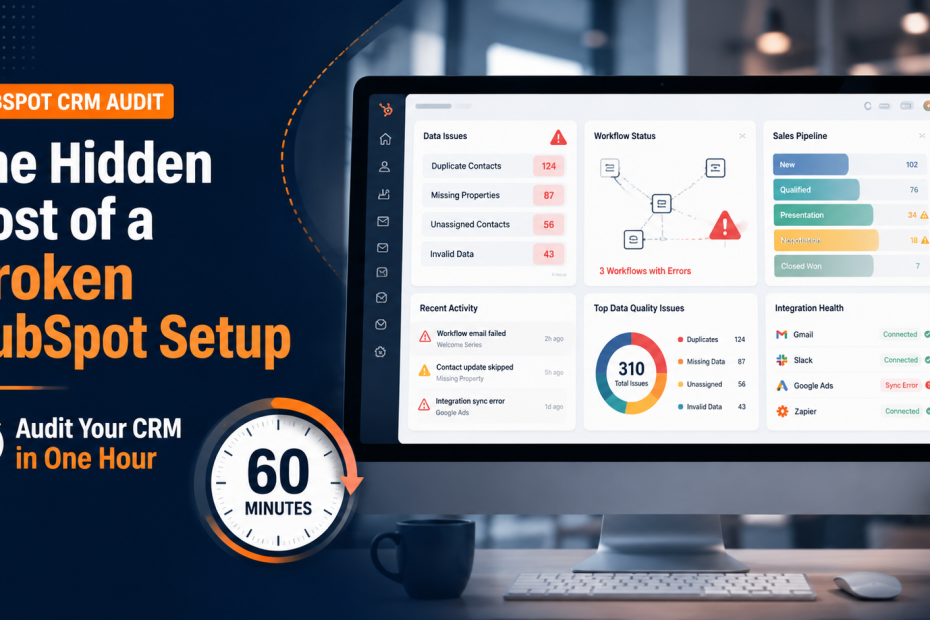
A HubSpot CRM audit can show problems that are easy to miss during daily work. Your team may have contacts, deal stages, workflows, forms, and reports in place. Yet, small setup issues can slow down sales and marketing without anyone noticing. A lead may enter the wrong list. A workflow may fail to update a contact. A sales rep may see old data. Over time, these small gaps can create a much bigger cost.
The real cost of a broken HubSpot setup is not always found on an invoice. It can show up as lost leads, missed follow-ups, poor reports, wasted time, and weak teamwork. The good news is that you do not need a full day to spot the biggest issues. With a simple one-hour audit, you can check the core parts of your portal and see where problems may be hiding.
What Does a Broken HubSpot Setup Really Cost?
A HubSpot setup can look fine on the surface and still cause trouble behind the scenes. The problem often starts with small choices made during setup. A property gets created twice. A pipeline has too many stages. A workflow has an old rule. A form sends leads to the wrong owner.
None of these issues may seem serious on their own. But they can affect several teams at once.
Marketing may report leads that sales cannot use. Sales may spend time fixing records instead of speaking with prospects. Managers may rely on reports that do not show the full picture.
That is why a HubSpot CRM audit should focus on how the system works as a whole, not just whether each feature is active.
The Hidden Costs You Should Watch
1. Lost Leads and Missed Follow-Ups
A lead can enter HubSpot but still fail to reach the right person.
For example, a form may create a contact without assigning an owner. A workflow may use an outdated rule. A lead may also enter the wrong lifecycle stage.
The result is simple: someone who wanted to hear from your business may never get a timely reply.
This is one of the most costly HubSpot CRM issues because the lost revenue may never appear in your reports.
2. Poor Data Quality
Bad data creates more work for everyone.
Duplicate contacts, missing fields, wrong company records, and old values make it harder to trust your CRM. Sales reps may spend time checking records before making a call. Marketing teams may send campaigns to the wrong audience.
Good HubSpot data quality also matters for reports. If the data is not clean, your reports cannot give a clear view of what is happening.
3. Broken or Unclear Workflows
Automation should save time. Poor automation can do the opposite.
A workflow may have outdated enrollment rules or actions that no longer match your sales process. Some workflows may also overlap and update the same records in different ways.
A HubSpot workflow audit helps you check which workflows are active, what they do, and whether they still support the way your team works.
4. Sales Pipeline Problems
Your sales pipeline should match your real sales process.
If your pipeline has too many stages, sales reps may not know when to move a deal. If stages are unclear, managers may struggle to understand the true state of the pipeline.
A simple pipeline audit can reveal stages that are rarely used, deals that have not moved, and rules that no longer fit your process.
How to Run a HubSpot CRM Audit in One Hour
You do not need to check every setting in your portal. Start with the areas that can create the biggest problems.
Set aside 60 minutes and work through the following checks.
First 10 Minutes: Check Your Contact Data
Start with your contacts.
Look for:
- Duplicate records
- Contacts without owners
- Missing key properties
- Old or incorrect contact data
- Contacts with unclear lifecycle stages
- Companies that are not linked correctly
- Properties that appear to serve the same purpose
You do not need to clean every record during this audit. Your goal is to spot patterns.
If you see the same issue again and again, add it to your cleanup list.
Next 10 Minutes: Review Your Properties
Properties are the building blocks of your CRM.
Too many properties can make HubSpot hard to manage. Poor naming can also confuse your team.
Check whether your team has:
- Duplicate properties
- Unclear property names
- Unused custom fields
- Different fields for the same data
- Properties that no longer match your process
Ask one simple question:
“Would a new team member understand what this property is for?”
If the answer is no, the property may need attention.
Next 10 Minutes: Audit Your Workflows
Now move to your workflows.
Start with active workflows because they can affect your records right now.
Check:
- Enrollment triggers
- Workflow actions
- Delays
- Branches
- Internal notifications
- Record updates
- Error messages
- Workflows that no longer have a clear purpose
Pay close attention to workflows that change lifecycle stages, lead status, owners, or deal information.
These actions can have a direct effect on sales and marketing reports.
Next 10 Minutes: Review Your Sales Pipeline
Look at each deal stage.
Ask:
- Does each stage have a clear meaning?
- Do sales reps use every stage?
- Are deals sitting in one stage for too long?
- Are closed deals being marked correctly?
- Are there deals with missing owners?
- Does the pipeline match the real sales process?
A pipeline should help sales teams work faster. It should not force them to guess what each stage means.
Next 10 Minutes: Check Reports and Dashboards
Reports are only as good as the data behind them.
Check a few important reports and compare them with the actual records in HubSpot.
Look for unusual numbers or missing data.
For example, your report may show a large number of qualified leads. But if many of those contacts have missing lead status or source data, the number may not tell the full story.
Your HubSpot CRM audit should always include reporting because poor data can make good decisions look bad.
Final 10 Minutes: Check Integrations and Automation
Your HubSpot portal may connect with other tools for forms, email, sales, customer support, or reporting.
Check whether these connections still work as expected.
Look for:
- Failed data syncs
- Missing records
- Duplicate records
- Old integrations
- Broken field mapping
- Data that moves in only one direction
- Tools that are still connected but no longer used
A broken integration can create problems that are hard to spot inside HubSpot alone.
What to Do After Your One-Hour Audit
The audit is only useful if you act on what you find.
Do not try to fix everything at once. Start by sorting your issues into three groups.
High Priority
These issues can affect revenue, leads, customer data, or sales activity.
Examples include:
- Leads not being assigned
- Broken lead-routing workflows
- Incorrect deal stages
- Major data sync errors
- Reports using incorrect data
Fix these first.
Medium Priority
These problems slow your team down but may not cause immediate revenue loss.
Examples include:
- Duplicate properties
- Unclear naming
- Old workflows
- Unused fields
- Messy dashboards
Add these to your next cleanup task.
Low Priority
These are small improvements that can make the portal easier to use.
Examples include:
- Dashboard layout changes
- Minor naming updates
- Removing old lists
- Improving internal notes
Handle these after the bigger problems are under control.
A Better HubSpot Setup Starts With Clear Processes
A CRM should support the way your business works.
If your sales process has changed but HubSpot has not changed with it, gaps will grow over time. The same applies when marketing adds new campaigns, forms, tools, or automation without reviewing the wider setup.
This is why a good HubSpot CRM audit should not only look for technical errors. It should also ask whether your portal still matches your business process.
If your team is planning a new setup or major changes, proper HubSpot implementation can help create a stronger base from the start.
Signs You May Need a Full HubSpot Audit
A one-hour check is a useful starting point. But some signs suggest you need a deeper review.
You may need a full audit if:
- Your team does not trust CRM reports
- Sales and marketing use different definitions
- Leads often need manual assignment
- Workflows are hard to understand
- Your portal has many unused properties
- Duplicate contacts are common
- Sales reps keep records outside HubSpot
- Data does not sync correctly between tools
- Your pipeline no longer matches your sales process
- Your team has grown but your HubSpot setup has not
These problems usually point to a deeper issue with CRM structure or process.
Why a Clean HubSpot Setup Matters for Sales and Marketing
A well-managed CRM gives sales and marketing teams the same view of the customer journey.
Marketing can see which leads engage with campaigns. Sales can see useful contact and company data. Managers can track deals without asking the team to build reports manually.
That connection can also improve the way both teams work together.
If you want to see how HubSpot can support sales and marketing performance, read this guide on how HubSpot improves sales and marketing performance.
Keep Your HubSpot Setup Healthy
A HubSpot portal is not a system you can set up once and forget.
Your team changes. Your sales process changes. New tools are added. Old workflows stop being useful. New properties are created. Over time, these changes can make your CRM harder to manage.
A regular HubSpot CRM audit helps you catch these issues before they become bigger problems.
Start with one hour. Check your data, properties, workflows, pipeline, reports, and integrations. Then rank the problems based on their business impact.
You may not fix every issue in one session. You do not need to.
The goal is to know what is broken, understand what it costs your team, and create a clear plan to fix it.
A clean HubSpot setup does more than keep your CRM organized. It helps your teams trust their data, spend less time fixing records, and focus more on the work that drives growth.